
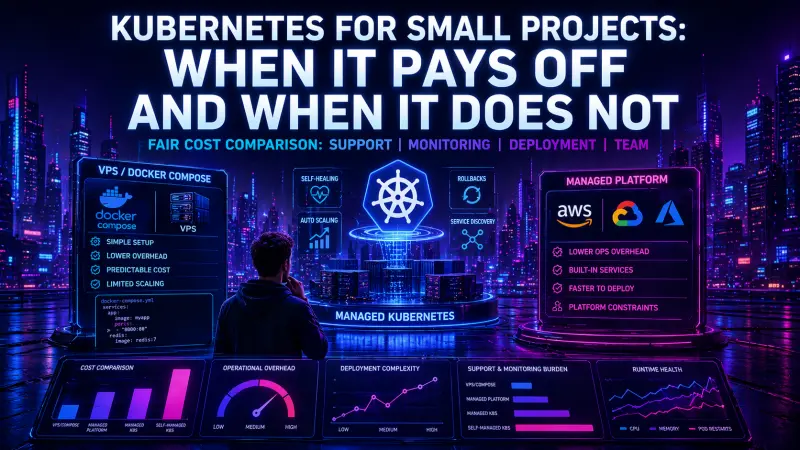
Kubernetes is often treated as the default destination for any containerized application. That assumption is expensive. For a small project, Kubernetes can either create a controlled, repeatable production platform or turn a simple service into an infrastructure product the team now has to maintain.
The practical question is not “Can this run on Kubernetes?” Most applications can. The better question is: “What operational problem does Kubernetes solve here, and is that problem more expensive than the platform itself?” For many small projects, Docker Compose on a VPS, a managed application platform, or a lightweight container service provides a lower total cost until the application crosses clear operational thresholds.
The common mistake: counting containers instead of operational needs
A small project with five containers may not need Kubernetes. A small project with two containers might need it if it has strict uptime requirements, frequent releases, separate environments, and a team already capable of operating clusters.
Container count is a weak signal. Better signals include:
how often the team deploys
whether rollback must be fast and predictable
whether traffic changes sharply
whether multiple services need independent scaling
whether observability is already part of the engineering workflow
whether the team has time to maintain infrastructure code
whether production incidents require clear ownership and repeatable recovery
Kubernetes is not only a runtime. It is a deployment model, networking model, scheduling system, secret management surface, observability target, and operational discipline. That is useful when those layers are needed. It is wasteful when the application mainly needs a stable host, a database, backups, and a simple deployment path.
Kubernetes rarely reduces complexity for a small project. It usually moves complexity from manual server work into declarative infrastructure and cluster operations.
Comparing the real options
For a small product, the realistic choices are usually not “Kubernetes or nothing.” They are closer to this:
Deployment model | Operational complexity | Deployment complexity | Scaling model | Monitoring burden | Cost profile | Better fit |
|---|---|---|---|---|---|---|
VPS with system services | Low | Low to Medium | Vertical scaling first | Low to Medium | Predictable fixed cost | Simple apps, low traffic, stable release cadence |
Docker Compose on VPS | Low to Medium | Low | Mostly vertical, limited horizontal | Medium | Predictable fixed cost | Small multi-container apps, internal tools, MVPs |
Managed app platform | Low | Low | Platform-defined horizontal scaling | Low to Medium | Higher unit cost, lower ops cost | Teams that value speed over infrastructure control |
Managed Kubernetes | Medium to High | Medium to High | Native horizontal service scaling | High | Cluster plus operations cost | Multi-service systems with real reliability requirements |
Self-managed Kubernetes | High | High | Native horizontal service scaling | High | Infrastructure cost plus high support cost | Rarely justified for small projects |
The table hides one important detail: managed Kubernetes removes part of the cluster administration burden, but not the application operations burden. The team still owns manifests, rollout behavior, ingress, resource requests, service discovery, logs, metrics, alerts, secrets, and incident response.
What Docker Compose gets right for small projects
Docker Compose is often enough when the project has a small number of services, predictable traffic, and one team responsible for the whole system. It keeps the deployment model understandable. A developer can read the configuration and see the runtime shape of the application in one file.
services:
  app:
    image: registry.example.com/acme/app:${APP_VERSION}
    restart: unless-stopped
    env_file:
      - .env
    depends_on:
      - redis
    ports:
      - "8080:8080"

  redis:
    image: redis:7
    restart: unless-stopped
    volumes:
      - redis-data:/data

volumes:
  redis-data:
This is not a production platform by itself, but it is transparent. For many small systems, that transparency matters more than orchestration features. The team can deploy with a short script, inspect logs directly, restart services, and reason about failures without understanding cluster internals.
#!/usr/bin/env bash
set -euo pipefail

APP_VERSION="$1"

docker compose pull
APP_VERSION="$APP_VERSION" docker compose up -d
docker compose ps
docker compose logs --tail=100 app
The weakness is also clear: once the team needs zero-downtime rollouts, multiple replicas across nodes, automatic rescheduling after host failure, fine-grained network policies, or independent scaling of services, Compose starts to become a set of custom scripts around a single host.
That is the moment to reconsider the platform.
What Kubernetes changes in production
Kubernetes provides a stronger model for running services as a desired state. Instead of starting containers directly, the team describes what should exist: deployments, services, config, secrets, probes, resource limits, ingress rules, and autoscaling policies.
A minimal deployment already introduces several production decisions:
apiVersion: apps/v1
kind: Deployment
metadata:
  name: billing-api
spec:
  replicas: 2
  selector:
    matchLabels:
      app: billing-api
  template:
    metadata:
      labels:
        app: billing-api
    spec:
      containers:
        - name: billing-api
          image: registry.example.com/acme/billing-api:1.8.4
          ports:
            - containerPort: 8080
          readinessProbe:
            httpGet:
              path: /health/ready
              port: 8080
          livenessProbe:
            httpGet:
              path: /health/live
              port: 8080
          resources:
            requests:
              cpu: "100m"
              memory: "256Mi"
            limits:
              memory: "512Mi"
This gives the team safer rollouts and clearer runtime contracts, but it also demands better engineering discipline. Health checks must be meaningful. Resource requests must be maintained. Logs must be structured. Secrets must be handled consistently. Deployments must be observable.
Kubernetes improves delivery only when the surrounding practices exist. Without them, it becomes a more complex way to restart containers.
The hidden cost: monitoring and incident response
The cost of Kubernetes is not only cloud infrastructure. The larger cost is the time required to understand what is happening when production behaves badly.
A small Compose setup often has a narrow failure surface:
the host is down
the application container crashed
the database is unavailable
disk space is exhausted
a deployment introduced a bug
A Kubernetes setup adds more layers:
pods can be pending, running, restarting, or evicted
readiness and liveness probes can fail differently
ingress can route incorrectly
services can select the wrong pods
resource pressure can affect scheduling
secrets and config maps can drift across environments
autoscaling can hide or amplify application problems
node-level issues can look like application issues
This is manageable with mature observability. It is painful without it.
For Kubernetes to be reasonable, the team should already be comfortable using commands like these during incidents:
kubectl get pods -n production
kubectl describe pod billing-api-7c9f9d8f6d-k2p7m -n production
kubectl logs deploy/billing-api -n production --since=30m
kubectl rollout status deploy/billing-api -n production
kubectl rollout undo deploy/billing-api -n production
These commands are not advanced, but they represent a different support model. The team must understand Kubernetes objects, namespaces, rollout state, probes, events, and logs. If only one engineer understands them, Kubernetes creates a people dependency.
When Kubernetes is usually worth it
Kubernetes becomes easier to justify when it solves multiple real problems at once. One isolated benefit is rarely enough.
Use Kubernetes for a small project when several of these are true:
The application has multiple independently deployed services.
The team deploys often and needs reliable rollbacks.
The product has uptime expectations that justify platform investment.
Traffic patterns require horizontal scaling.
The system needs separate staging, preview, and production environments.
The team already uses infrastructure as code.
Observability is part of the normal development process.
Engineers can debug production using cluster-level signals.
There is a plan for secrets, ingress, backups, logs, metrics, and alerts.
The platform will support more than one project.
The last point matters. Kubernetes is easier to justify as a shared platform than as a special runtime for one small application. If the cluster supports several services or products, the operational investment can be reused.
When Docker Compose, VPS, or a managed platform is cheaper
A simpler model is often better when the project is still validating demand, the team is small, or infrastructure ownership is not the core problem.
Choose Docker Compose or a VPS when:
one host is enough for the current traffic profile
vertical scaling is acceptable
deployments are infrequent or can tolerate brief maintenance windows
the team wants direct control without cluster abstractions
the application has a simple dependency graph
incident response is handled by a small team
infrastructure cost must stay predictable
Choose a managed platform when:
the team wants to ship without operating servers
infrastructure control is less important than delivery speed
scaling needs exist but are not highly specialized
the product team prefers platform constraints over custom operations
the cost of engineer time is higher than the platform premium
Managed platforms can become expensive as usage grows, but they often reduce early operational overhead. For a small commercial project, that can be the correct trade-off. Paying more per workload unit may still be cheaper than assigning senior engineers to maintain a platform too early.
The team cost is the deciding factor
A Kubernetes decision should include team capacity, not only technical fit. A cluster needs ownership. Someone must define deployment conventions, review manifests, manage access, handle incidents, maintain monitoring, and prevent every team from inventing its own YAML style.
A useful internal checklist is:
Who owns the cluster and deployment templates?
Who responds when a pod is healthy but the service is unreachable?
Who reviews resource requests and limits?
Who maintains alert rules?
Who handles failed rollouts?
Who manages secrets and access?
Who keeps staging close enough to production?
Who teaches new engineers the operational model?
If these answers are unclear, Kubernetes may still work technically, but it will be fragile organizationally.
A practical decision rule
For small projects, start with the simplest model that gives reliable deployment, backup, monitoring, and recovery. Do not adopt Kubernetes because it is the “future-proof” option. Future-proofing that slows delivery and creates support debt is not future-proofing.
A reasonable path looks like this:
Single app or simple API
  -> VPS or managed app platform

Small app with Redis, worker, database, and reverse proxy
  -> Docker Compose on VPS or managed platform

Multiple services with independent releases and real uptime needs
  -> managed Kubernetes, if the team can operate it

Shared infrastructure for several products
  -> Kubernetes platform, with clear ownership and standards
This path keeps the decision reversible. Compose can be a stepping stone if images, environment configuration, health endpoints, and deployment discipline are already in place. The migration becomes harder when the team relies on host-specific scripts, implicit config, or manual changes.
For engineers who already operate clusters or plan to own Kubernetes delivery in production, the Kubernetes Specialist certification is the most relevant DevCerts track to review.
Conclusion: Kubernetes is a platform decision, not a container decision
Kubernetes is justified when the operational problems are real enough to pay for orchestration, observability, deployment discipline, and team ownership. It is not justified by containerization alone.
For a small project, Docker Compose, a VPS, or a managed platform is often the cheaper and safer choice until the system needs independent scaling, reliable rollouts, stronger failure isolation, or a shared production platform. The best decision is the one that reduces total support cost while keeping delivery predictable.
Adopt Kubernetes when it turns production into a more controlled system. Avoid it when it mainly turns a small application into a platform maintenance project.