
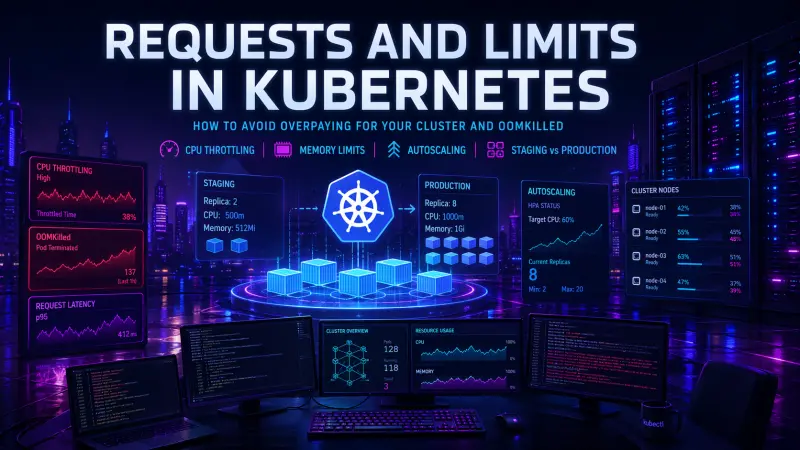
Kubernetes requests and limits look like a small YAML concern, but they directly shape cluster cost, reliability, and incident behavior. A request is not a recommendation. It is the amount of CPU or memory the scheduler uses when placing a pod. A limit is not a target. It is an enforcement boundary, and for memory it can become the line between a healthy process and OOMKilled.
The practical problem is that many teams configure resources once, copy the same values across staging and production, and then blame Kubernetes when pods throttle, autoscaling feels random, or monthly cloud spend keeps growing. The better approach is to treat requests and limits as production capacity contracts, then tune them with workload data.
What teams usually get wrong
The most common mistake is setting requests and limits as symmetrical values because it looks tidy:
resources:
  requests:
    cpu: "1000m"
    memory: "512Mi"
  limits:
    cpu: "1000m"
    memory: "512Mi"
This configuration says several things at once:
the pod reserves 1 full CPU for scheduling
the pod cannot burst above 1 CPU
the pod reserves 512 MiB of memory for scheduling
the container can be killed if it crosses the memory limit
That may be appropriate for some workloads, but it is often cargo-copied into services with different traffic, startup behavior, cache size, and runtime profiles.
Requests and limits serve different operational purposes. Using the same number for both because it is simple can produce two opposite problems: overpaying for idle reserved capacity and creating artificial performance ceilings.
Requests are about scheduling and cost
A Kubernetes CPU or memory request tells the scheduler how much node capacity a pod needs. If a pod requests 500m CPU, Kubernetes places it as if half a CPU core is required. If many pods request more CPU than they actually use, nodes fill up on paper before they fill up in reality.
This is how teams overpay for a cluster without seeing obviously wasteful application behavior. The services may run at low average CPU usage, but the scheduler cannot place more pods because requests consume allocatable capacity.
Memory requests are similar, but the risk is sharper. A low memory request may allow too many pods onto the same node. If several of them grow at the same time, node pressure increases and Kubernetes may evict pods. A high memory request reserves capacity that may sit unused.
Requests define the capacity you reserve. Limits define the behavior you tolerate when the workload exceeds that reservation.
A production baseline usually starts with observed usage, not guesses. For example, a service that typically uses low CPU but occasionally bursts during request spikes may need a modest CPU request and no CPU limit, while still having a carefully chosen memory limit.
apiVersion: apps/v1
kind: Deployment
metadata:
  name: api
spec:
  replicas: 3
  selector:
    matchLabels:
      app: api
  template:
    metadata:
      labels:
        app: api
    spec:
      containers:
        - name: api
          image: registry.example.com/api:stable
          resources:
            requests:
              cpu: "250m"
              memory: "384Mi"
            limits:
              memory: "768Mi"
This example intentionally omits a CPU limit. That is not always the right choice, but it avoids unnecessary CPU throttling for a latency-sensitive service that can safely burst when node capacity is available.
CPU limits can create throttling, not fairness
CPU in Kubernetes is compressible. A container that wants more CPU than its request can use spare CPU if available. A CPU limit changes that behavior by enforcing a ceiling. When the container reaches the limit, it may be throttled.
For request-response services, CPU throttling often appears as higher p95 or p99 latency rather than obvious CPU saturation. The application may look underutilized on average, while users experience slow responses during short bursts.
A simplified comparison helps clarify the trade-off:
Configuration | Scheduling behavior | Runtime behavior | Cost profile | Operational risk |
|---|---|---|---|---|
No requests, no limits | Weak placement signal | Can burst, weak protection | Unpredictable | Noisy neighbor risk, poor autoscaling input |
Requests only | Predictable reservation | Can burst when capacity exists | Usually more efficient | Requires node-level capacity discipline |
Requests plus CPU limits | Predictable reservation | Throttles above limit | Can cap noisy workloads | Latency risk for bursty services |
Requests plus memory limits | Predictable reservation | Kills container above limit | Controls memory growth | OOMKilled if limit is too low |
CPU limits are useful for batch jobs, untrusted workloads, or services that must not consume excess shared capacity. They are more questionable for latency-sensitive APIs where brief bursts are normal and healthy.
Memory limits are failure boundaries
Memory is not compressible in the same way as CPU. When a container exceeds its memory limit, it can be terminated. That is where OOMKilled enters the incident report.
A memory limit should not be set at the average memory usage. It must account for:
application startup spikes
cache warm-up
traffic bursts
request body size
runtime overhead
background workers
garbage collection behavior
memory fragmentation
connection pools
For example, a JVM, Node.js process, PHP worker pool, or Go service can all have different memory profiles under the same traffic pattern. The right limit depends on process behavior, not just language or framework.
A useful debugging loop starts with direct observation:
kubectl get pods -n production
kubectl describe pod api-7f9c8d8f6b-mx42p -n production
kubectl top pod api-7f9c8d8f6b-mx42p -n production
Look for restart count, last termination reason, memory usage close to the configured limit, and whether the kill happens during startup, traffic spikes, deployments, or background jobs.
If a pod is repeatedly OOMKilled, raising the memory limit may be necessary, but it is not the whole fix. You also need to identify whether the workload has normal growth, a leak, a bad cache policy, oversized request handling, or too much concurrency per pod.
Autoscaling depends on sane requests
Horizontal Pod Autoscaler behavior depends heavily on resource requests when scaling on CPU utilization. If requests are too low, utilization appears high and the workload may scale aggressively. If requests are too high, utilization appears low and scaling may lag.
A service with a 1000m CPU request using 250m CPU shows about 25 percent CPU utilization. The same service with a 250m request shows about 100 percent. The application did not change, but the autoscaling signal did.
A basic HPA configuration may look clean:
apiVersion: autoscaling/v2
kind: HorizontalPodAutoscaler
metadata:
  name: api
spec:
  scaleTargetRef:
    apiVersion: apps/v1
    kind: Deployment
    name: api
  minReplicas: 3
  maxReplicas: 20
  metrics:
    - type: Resource
      resource:
        name: cpu
        target:
          type: Utilization
          averageUtilization: 70
This works only if the CPU request is a meaningful baseline. Otherwise, the HPA is scaling against a distorted denominator.
For services where CPU is not the bottleneck, request-based CPU autoscaling may be the wrong signal. Queue depth, request rate, latency, or custom business metrics can be more useful, depending on the workload. The key is to scale on the pressure that actually predicts degraded service.
Staging is not a smaller production
Copying production resource settings into staging often wastes money. Copying staging settings into production often causes incidents.
Staging and production have different goals:
Environment | Traffic shape | Resource goal | Common mistake | Better approach |
|---|---|---|---|---|
Local/dev | Low, manual | Fast feedback | No limits at all | Small defaults, simple overrides |
Staging | Irregular, test-driven | Catch deployment and config issues | Production-sized reservations | Lower replicas, realistic limits for risky paths |
Load test | Controlled spikes | Measure behavior under pressure | Running with staging resources | Match production topology where possible |
Production | Real users, real cost | Stable latency and safe scaling | Static guesses copied from old services | Tune from metrics and incidents |
Staging does not need the same replica count as production, but it should still expose resource problems that would break deployments. For example, if a service needs 600 MiB at startup but staging gives it 256 MiB, you may catch a valid problem. If staging gives every service production-sized requests, you may hide inefficient configuration and pay for idle capacity.
A practical pattern is to define a common base and override environment-specific values:
# production values
resources:
  requests:
    cpu: "300m"
    memory: "512Mi"
  limits:
    memory: "1Gi"
replicaCount: 6
# staging values
resources:
requests:
cpu: "100m"
memory: "256Mi"
limits:
memory: "768Mi"
replicaCount: 2The staging memory limit remains high enough to catch realistic application behavior, while CPU request and replica count are reduced to control cost.
A practical tuning workflow
Resource tuning should be boring and repeatable. The goal is not to find a perfect number, but to make resource behavior explicit enough that scaling and failures are understandable.
A workable process:
Start with conservative requests for new services.
Set memory limits with enough headroom for startup and normal burst behavior.
Avoid CPU limits for latency-sensitive services unless there is a clear reason.
Observe CPU, memory, restarts, throttling, and p95 or p99 latency.
Adjust requests based on sustained usage, not isolated peaks.
Adjust limits based on failure boundaries and known burst behavior.
Review settings after major runtime, framework, traffic, or architecture changes.
For production services, resource configuration should be reviewed during incident retrospectives and capacity planning, not only during deployment setup.
What to adopt first
If your cluster already has inconsistent resource configuration, start with the workloads that affect either cost or reliability most directly:
high-replica deployments with large CPU or memory requests
services with frequent restarts or
OOMKilledeventsAPIs with latency spikes and visible CPU throttling
workloads used by HPA with questionable request values
staging namespaces that reserve production-like capacity without production-like traffic
Do not try to normalize every service in one pass. Resource settings are workload-specific. A batch processor, an API, a frontend server, and a queue worker should not share the same defaults unless their runtime behavior is actually similar.
For engineers who work with Kubernetes in production and want to validate this kind of operational decision-making, the Kubernetes Specialist certification is the most relevant DevCerts track to review.
Conclusion
Kubernetes requests and limits are not just safeguards. They are part of the architecture of a production system. Requests influence scheduling, bin packing, autoscaling, and cluster cost. Limits influence throttling, failure modes, and how much risk a single container can create.
The main rule is simple: do not configure resources as static YAML decoration. Treat CPU requests, memory requests, CPU limits, and memory limits as separate decisions. Tune them from real workload behavior, keep staging cheaper but still realistic, and review them whenever traffic, code, or runtime assumptions change.
That is how you avoid both sides of the same Kubernetes failure: paying for capacity you never use and still getting paged because a pod was throttled or killed when it finally needed to do real work.