
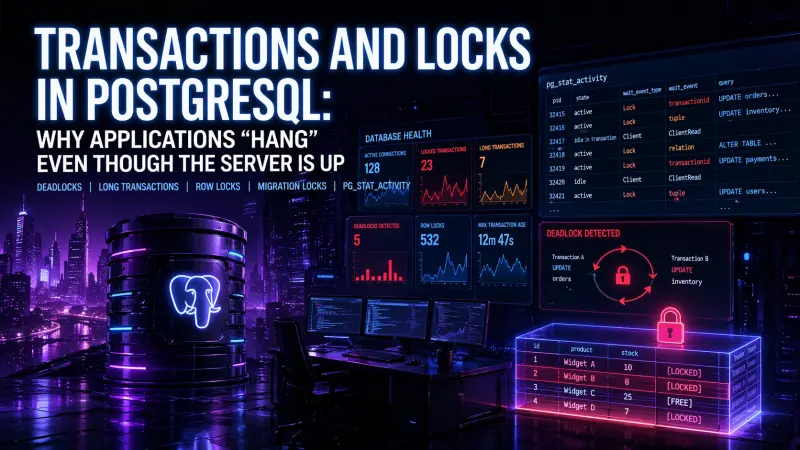
A PostgreSQL incident can look deceptive. CPU is not saturated, memory is stable, the database process is running, and yet the application behaves as if production has stopped. Requests pile up, workers wait, background jobs do not finish, and users see timeouts.
In many cases, the server has not failed. It is doing exactly what it was asked to do: preserving transactional correctness while sessions wait for locks. The operational problem is not “PostgreSQL is down”, it is “application concurrency has created a lock dependency that nobody noticed early enough”.
The symptom: healthy database, blocked application
Lock-related incidents often appear as application-level failures first:
API requests time out without clear database errors.
Queue workers stop making progress.
Connection pools become exhausted.
A migration appears to “hang”.
A small update affects far more traffic than expected.
Restarting app workers helps briefly, then the issue returns.
This is why lock incidents are frequently misdiagnosed as infrastructure problems. Teams look at CPU, RAM, disk, and container health, then conclude the database is fine. Technically, it is. Operationally, the workload is stuck behind one or more sessions holding locks.
A lock wait is not a database crash. It is a coordination problem between transactions, and the database is often the only component that can show the real dependency chain.
What people usually get wrong about PostgreSQL locks
The common misconception is that locks are unusual or always bad. They are neither. PostgreSQL uses locks to protect data consistency, schema integrity, and transaction isolation. Every serious relational workload depends on them.
The issue is not that locks exist. The issue is when locks are held longer than expected, when they are taken in inconsistent order, or when application code hides transaction boundaries.
A simple row update is enough to block another update to the same row:
BEGIN;

UPDATE accounts
SET balance = balance - 100
WHERE id = 42;

-- The transaction stays open here.
-- Another transaction trying to update accounts.id = 42 will wait.
While this transaction remains open, PostgreSQL must protect the modified row. If the application performs slow network calls, waits on user input, or does unrelated work before committing, other sessions can queue behind it.
That queue may then consume database connections, application workers, and request threads. The original lock may involve one row, but the operational impact can spread through the whole system.
The main lock scenarios behind “hanging” applications
Different lock problems have different causes, different visibility, and different fixes.
Scenario | Typical trigger | Runtime behavior | Production impact | Primary diagnostic signal |
|---|---|---|---|---|
Long transaction | App code starts a transaction and delays commit | Locks stay active longer than expected | Gradual slowdown, connection pool pressure | xact_start is old, state may be idle in transaction |
Row lock wait | Multiple sessions update the same rows | Waiting sessions block on tuple or transaction locks | Slow requests, queue buildup | wait_event_type = 'Lock' |
Deadlock | Transactions lock resources in conflicting order | PostgreSQL detects cycle and aborts one transaction | Error in one request, possible retry storm | Deadlock error in logs |
Migration lock | DDL waits for active queries or blocks new ones | Schema change waits or blocks application traffic | Deployment appears stuck, app requests wait | DDL query visible in pg_stat_activity |
Idle transaction | App opens transaction and stops issuing SQL | Locks and snapshots remain active | Vacuum pressure, stale locks, blocked writes | state = 'idle in transaction' |
The important point is that these are not equivalent. Killing a backend may clear a lock wait, but it does not fix the transaction pattern that caused it.
Start with pg_stat_activity, not guesswork
The fastest useful question during an incident is: who is waiting, and who is blocking?
pg_stat_activity gives you the live session view. It is usually the first place to look because it connects application behavior to database state.
SELECT
    pid,
    usename,
    application_name,
    state,
    wait_event_type,
    wait_event,
    xact_start,
    query_start,
    now() - xact_start AS transaction_age,
    left(query, 120) AS query_preview
FROM pg_stat_activity
WHERE state <> 'idle'
ORDER BY xact_start NULLS LAST, query_start;
This query helps separate active work from waiting work. Pay attention to sessions with:
old
xact_startstate = 'idle in transaction'wait_event_type = 'Lock'migration or DDL statements
application names that identify workers, API nodes, or migration tools
The next step is to identify blockers.
SELECT
    blocked.pid AS blocked_pid,
    blocked.application_name AS blocked_app,
    blocked.wait_event_type,
    blocked.wait_event,
    now() - blocked.query_start AS blocked_for,
    left(blocked.query, 100) AS blocked_query,
    blocking.pid AS blocking_pid,
    blocking.application_name AS blocking_app,
    now() - blocking.xact_start AS blocking_transaction_age,
    left(blocking.query, 100) AS blocking_query
FROM pg_stat_activity blocked
JOIN pg_stat_activity blocking
    ON blocking.pid = ANY(pg_blocking_pids(blocked.pid))
WHERE blocked.wait_event_type = 'Lock'
ORDER BY blocked_for DESC;
This is more actionable than a generic “database is slow” alert. It shows whether the problem is one stuck transaction, a migration, a hot row, or a broader application pattern.
Deadlocks are different from long waits
A deadlock is not simply a long lock wait. It is a cycle.
For example:
-- Transaction A
BEGIN;
UPDATE accounts SET balance = balance - 100 WHERE id = 1;
UPDATE accounts SET balance = balance + 100 WHERE id = 2;

-- Transaction B, at the same time
BEGIN;
UPDATE accounts SET balance = balance - 50 WHERE id = 2;
UPDATE accounts SET balance = balance + 50 WHERE id = 1;
If transaction A locks row 1 and transaction B locks row 2, each may later wait for the other row. PostgreSQL cannot allow both to wait forever, so it detects the cycle and aborts one transaction.
The fix is usually not “increase a timeout”. Better fixes include:
Lock rows in a consistent order.
Keep transactions small.
Avoid mixing unrelated updates in one transaction.
Add retry logic only around operations that are safe to retry.
Make idempotency explicit for jobs and payment-like workflows.
For example, ordering locks by primary key removes many transfer-style deadlocks:
BEGIN;

SELECT id
FROM accounts
WHERE id IN (1, 2)
ORDER BY id
FOR UPDATE;

UPDATE accounts SET balance = balance - 100 WHERE id = 1;
UPDATE accounts SET balance = balance + 100 WHERE id = 2;

COMMIT;
This does not make contention disappear. It makes lock acquisition predictable, which prevents cycles in many common cases.
Long transactions are often application design bugs
The most damaging transaction is not always the one doing the most work. It is often the one doing too much unrelated work while holding locks.
A common anti-pattern in backend code looks like this:
DB::transaction(function () use ($order) {
    $order->markAsPaid();
    $order->save();

    $this->paymentGateway->capture($order->payment_id);
    $this->emailService->sendReceipt($order->user);

    $order->markAsCompleted();
    $order->save();
});
The transaction now includes database writes, a payment gateway call, and email delivery. If either external call is slow, database locks remain active for the whole duration.
A better shape is to keep the database transaction focused, then dispatch work that does not need to run under the same lock boundary:
DB::transaction(function () use ($order) {
    $order->markAsPaid();
    $order->save();

    ReceiptJob::dispatch($order->id)->afterCommit();
});
The exact implementation depends on the framework and delivery guarantees, but the principle is stable: do not hold database locks while waiting on systems that PostgreSQL cannot control.
Migration locks can turn deployment into downtime
Schema migrations are another frequent source of surprise. DDL needs locks too. Some schema changes wait behind active queries, while other changes can block new queries once they are waiting for a lock.
This is why a migration may appear harmless in staging and still cause production pain. Staging rarely has the same long-running transactions, traffic patterns, connection count, or queue backlog.
Before running risky DDL in production, inspect active transactions:
SELECT
    pid,
    application_name,
    state,
    now() - xact_start AS transaction_age,
    now() - query_start AS query_age,
    left(query, 120) AS query_preview
FROM pg_stat_activity
WHERE xact_start IS NOT NULL
ORDER BY xact_start;
Production-grade migration practice is less about memorizing every lock mode and more about reducing uncertainty:
Run migrations separately from application boot where possible.
Avoid large data rewrites inside schema migrations.
Break schema changes into expand, backfill, and contract phases.
Use short lock timeouts for migrations so they fail rather than silently block traffic.
Test rollback behavior, not only forward execution.
Watch
pg_stat_activityduring deployment, not only after alerts fire.
A migration that fails fast is usually easier to recover from than a migration that waits long enough to become the incident.
Operational settings that reduce blast radius
Timeouts do not fix bad transaction design, but they can reduce damage. They are guardrails, not architecture.
Useful controls include:
SET lock_timeout = '5s';
SET statement_timeout = '30s';
SET idle_in_transaction_session_timeout = '60s';
The values above are examples, not universal recommendations. The right limits depend on workload shape, business operations, batch jobs, and maintenance windows.
Use them intentionally:
lock_timeoutlimits how long a statement waits to acquire a lock.statement_timeoutlimits total statement execution time.idle_in_transaction_session_timeouthelps terminate sessions that open a transaction and then stop doing work.
For application traffic, conservative timeouts can prevent one bad request path from exhausting the pool. For migrations, short lock timeouts are often useful because they avoid hidden deployment stalls.
What to adopt first
If a team is seeing intermittent PostgreSQL hangs, the practical path is not to start with advanced tuning. Start by making lock behavior visible and transaction boundaries explicit.
A useful first pass looks like this:
Add
application_nameper service, worker, and migration runner.Log slow queries and transaction-related errors with request or job identifiers.
Monitor sessions with old
xact_start.Alert on
idle in transactionsessions above an agreed threshold.Review code paths that perform external I/O inside transactions.
Add deadlock-safe retry logic only where operations are idempotent.
Treat production migrations as concurrency events, not just schema edits.
For engineers who work with PostgreSQL-backed systems in production and want to validate deeper skills around schema design, locking, query behavior, and operational trade-offs, the most relevant certification to review is PostgreSQL Architect.
Conclusion
When a PostgreSQL-backed application hangs while the server is still running, the most likely explanation is not mysterious database instability. It is usually a lock wait chain created by normal transaction rules meeting production concurrency.
The fix is partly diagnostic and partly architectural. pg_stat_activity shows who is waiting and who is blocking. Consistent lock ordering reduces deadlocks. Short transactions reduce blast radius. Safer migration patterns prevent deployments from becoming lock incidents. Timeouts protect the system when mistakes slip through.
The practical lesson is simple: treat transaction scope as production architecture. Every open transaction defines how long other work may have to wait.