
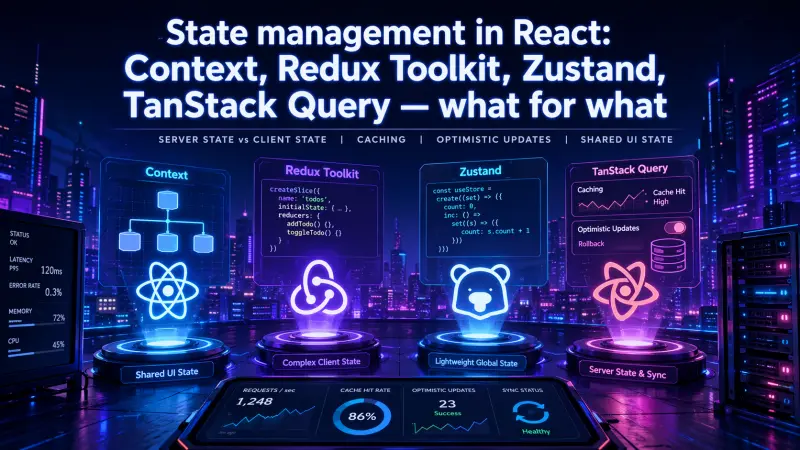
React state management becomes difficult when teams treat all state as the same kind of data. A user profile loaded from an API, a selected tab, a shopping cart draft, a modal flag, and a background mutation queue do not have the same lifecycle. They should not automatically live in the same store.
The practical question is not “Which state library is best for React?” The better question is: “What kind of state is this, who owns it, how stale can it be, and what happens when it changes?” Once that boundary is clear, Context, Redux Toolkit, Zustand, and TanStack Query stop competing with each other and start solving different parts of the system.
The mistake: using one global store for everything
Older React codebases often used a single global store as the default destination for any state that was needed by more than one component. That approach worked better than prop drilling, but it also created a maintenance problem.
Server data was copied into the client store. Loading flags were manually tracked. Cache invalidation was implemented through custom reducers. Optimistic updates were scattered across components. UI state and API state lived together, even though their failure modes were completely different.
That leads to predictable issues:
stale data after mutations
duplicated loading and error state
reducers that mostly mirror API responses
complex reset logic after logout, navigation, or tenant switch
difficult tests because unrelated state is coupled
accidental re-renders from broad subscriptions
The modern approach is to split state by ownership and lifecycle.
State management is not about where data can be stored. It is about who owns the truth, how updates propagate, and when data becomes invalid.
Server state vs client state
The most important distinction is server state versus client state.
Server state is data owned by an external system: an API, database, backend service, or third-party provider. React displays it, edits it, and refreshes it, but React does not own the source of truth.
Client state is data owned by the browser session or the UI itself. It may never be persisted. It may be temporary. It may exist only to coordinate interaction between components.
State type | Source of truth | Typical lifecycle | Staleness risk | Common examples | Better fit |
|---|---|---|---|---|---|
Server state | Backend/API | Fetched, cached, invalidated | High | user profile, invoices, product list, permissions | TanStack Query |
Shared UI state | Browser/UI | Created and discarded locally | Low to medium | sidebar open, active modal, selected filters | Zustand or Context |
Complex client state | Browser/application | Updated through explicit actions | Medium | multi-step form builder, editor state, workflow draft | Redux Toolkit or Zustand |
App configuration | Build/runtime config | Stable during session | Low | feature flags snapshot, theme, locale | Context or Zustand |
Derived state | Computed from other state | Recomputed when inputs change | Depends on inputs | filtered lists, totals, visibility rules | local component state or selectors |
This split is more useful than arguing whether Redux, Zustand, or Context is “better”. Each tool has a different cost model.
TanStack Query: use it for server state
TanStack Query is designed for data that comes from outside React. Its core value is not simply fetching. It manages the operational behavior around fetching: caching, request deduplication, background refresh, invalidation, loading states, error states, retries, and mutation coordination.
A common anti-pattern is to fetch data manually, then copy it into a global client store:
// Intentional anti-pattern: server state copied into client state
const [users, setUsers] = useState<User[]>([])
const [loading, setLoading] = useState(false)
const [error, setError] = useState<Error | null>(null)

useEffect(() => {
  let cancelled = false

  async function loadUsers() {
    setLoading(true)

    try {
      const response = await fetch('/api/users')
      const data = await response.json()

      if (!cancelled) {
        setUsers(data)
      }
    } catch (error) {
      if (!cancelled) {
        setError(error as Error)
      }
    } finally {
      if (!cancelled) {
        setLoading(false)
      }
    }
  }

  loadUsers()

  return () => {
    cancelled = true
  }
}, [])
This code is not wrong because it uses useEffect. It is weak because it forces the team to manually own caching, cancellation behavior, refetching, invalidation, and mutation consequences.
A query-based version keeps server state in a server-state tool:
import { useQuery } from '@tanstack/react-query'

type User = {
  id: string
  name: string
}

async function fetchUsers(): Promise<User[]> {
  const response = await fetch('/api/users')

  if (!response.ok) {
    throw new Error('Failed to load users')
  }

  return response.json()
}

export function UsersList() {
  const { data: users = [], isLoading, error } = useQuery({
    queryKey: ['users'],
    queryFn: fetchUsers,
  })

  if (isLoading) return <p>Loading users...</p>
  if (error) return <p>Could not load users.</p>

  return (
    <ul>
      {users.map((user) => (
        <li key={user.id}>{user.name}</li>
      ))}
    </ul>
  )
}
The important architectural shift is that the API response is no longer treated as client-owned state. It is cached server state with a query key and an invalidation model.
Optimistic updates belong near mutations
Optimistic updates are another area where server and client state are often mixed incorrectly. If the user renames a project, the UI may update immediately before the server confirms the change. That is not normal local state. It is speculative server state.
TanStack Query gives this pattern a clear home:
import { useMutation, useQueryClient } from '@tanstack/react-query'

type Project = {
  id: string
  name: string
}

async function renameProject(input: { id: string; name: string }) {
  const response = await fetch(`/api/projects/${input.id}`, {
    method: 'PATCH',
    headers: { 'Content-Type': 'application/json' },
    body: JSON.stringify({ name: input.name }),
  })

  if (!response.ok) {
    throw new Error('Failed to rename project')
  }

  return response.json()
}

export function useRenameProject() {
  const queryClient = useQueryClient()

  return useMutation({
    mutationFn: renameProject,

    onMutate: async ({ id, name }) => {
      await queryClient.cancelQueries({ queryKey: ['projects'] })

      const previousProjects =
        queryClient.getQueryData<Project[]>(['projects']) ?? []

      queryClient.setQueryData<Project[]>(['projects'], (projects = []) =>
        projects.map((project) =>
          project.id === id ? { ...project, name } : project
        )
      )

      return { previousProjects }
    },

    onError: (_error, _input, context) => {
      queryClient.setQueryData(['projects'], context?.previousProjects)
    },

    onSettled: () => {
      queryClient.invalidateQueries({ queryKey: ['projects'] })
    },
  })
}
This keeps speculative updates, rollback, and cache invalidation close to the mutation instead of spreading them across reducers and components.
Context: use it for dependency distribution, not frequent updates
React Context is often mistaken for a general state management solution. It can hold state, but its strongest use is distributing dependencies or stable values across a subtree.
Good uses include:
current theme
locale
authenticated session summary
feature flag snapshot
service clients
permission helpers
form context inside a specific flow
Context becomes harder to manage when it contains frequently changing state consumed by many components. A broad provider with a large mutable object can cause unnecessary re-renders and make performance issues harder to isolate.
A focused Context is still useful:
import { createContext, useContext } from 'react'

type CurrentUser = {
  id: string
  email: string
  roles: string[]
}

const CurrentUserContext = createContext<CurrentUser | null>(null)

export function useCurrentUser() {
  const user = useContext(CurrentUserContext)

  if (!user) {
    throw new Error('CurrentUserContext is missing')
  }

  return user
}
This is not trying to replace a store. It is making a stable dependency available without threading it through every component.
Redux Toolkit: use it when state transitions need structure
Redux Toolkit is still relevant, but its best role has changed. It is no longer the default place for all remote data. Its strongest fit is complex client-side state where transitions, traceability, and explicit actions matter.
Examples include:
complex editors
workflow builders
multi-step configuration tools
large forms with non-trivial rules
state machines represented through reducers
client-side entities that are not simply API cache
applications where debugging state transitions is operationally important
Redux Toolkit provides structure when state changes need to be explicit and reviewable:
import { createSlice, PayloadAction } from '@reduxjs/toolkit'

type CheckoutState = {
  step: 'cart' | 'shipping' | 'payment' | 'review'
  selectedAddressId: string | null
  couponCode: string | null
}

const initialState: CheckoutState = {
  step: 'cart',
  selectedAddressId: null,
  couponCode: null,
}

const checkoutSlice = createSlice({
  name: 'checkout',
  initialState,
  reducers: {
    addressSelected(state, action: PayloadAction<string>) {
      state.selectedAddressId = action.payload
      state.step = 'payment'
    },
    couponApplied(state, action: PayloadAction<string>) {
      state.couponCode = action.payload
    },
    reviewStarted(state) {
      if (!state.selectedAddressId) {
        return
      }

      state.step = 'review'
    },
  },
})

export const { addressSelected, couponApplied, reviewStarted } =
  checkoutSlice.actions

export const checkoutReducer = checkoutSlice.reducer
The value here is not that Redux can store the state. Any tool can store state. The value is that transitions are named, centralized, and testable.
Redux Toolkit is usually a good fit when the team benefits from explicit event-like actions, predictable reducer logic, and mature debugging workflows. It is less attractive when the state is small, temporary, or mostly API cache.
Zustand: use it for lightweight shared client state
Zustand fits the space between Context and Redux Toolkit. It is useful when several components need shared client state, but the ceremony of reducers, actions, and a full Redux store would be unnecessary.
Common examples include:
open/closed state for global panels
selected IDs across a screen
table view preferences
temporary filters
command palette state
client-only drafts
small cross-component coordination
A small Zustand store can make shared UI state explicit without turning it into application architecture:
import { create } from 'zustand'

type UiState = {
  isSidebarOpen: boolean
  selectedProjectId: string | null
  openSidebar: () => void
  closeSidebar: () => void
  selectProject: (projectId: string) => void
}

export const useUiStore = create<UiState>((set) => ({
  isSidebarOpen: false,
  selectedProjectId: null,

  openSidebar: () => set({ isSidebarOpen: true }),
  closeSidebar: () => set({ isSidebarOpen: false }),
  selectProject: (selectedProjectId) => set({ selectedProjectId }),
}))
The risk with Zustand is not the tool itself. The risk is allowing many small stores to become an undocumented application model. If a Zustand store starts accumulating server responses, mutation state, business workflows, and UI flags, it has crossed the same boundary that made older global stores hard to maintain.
A practical decision model
The fastest way to choose the right state tool is to ask a few operational questions.
Question | Use this signal | Likely choice |
|---|---|---|
Is the data owned by the backend? | It needs fetching, caching, refetching, or invalidation | TanStack Query |
Can the data become stale? | Another user, request, job, or service can change it | TanStack Query |
Is the state only used by nearby components? | It does not need cross-screen coordination | Local React state |
Is the value stable and needed across a subtree? | It behaves like a dependency or environment value | Context |
Does the state coordinate shared UI behavior? | It is client-only and updated by multiple components | Zustand |
Are transitions complex and business-relevant? | Actions need names, tests, or debugging history | Redux Toolkit |
Does rollback matter after a failed API update? | The UI speculates before server confirmation | TanStack Query mutation logic |
Does the state need to survive navigation? | It is session-level or workflow-level | Zustand or Redux Toolkit |
A useful rule of thumb: start with the narrowest owner that matches the state lifecycle. Move state outward only when there is a real coordination requirement.
What not to put in each tool
The boundaries matter more than the library choice.
Do not use Context as a dumping ground for frequently changing global state. It can work for small apps, but broad subscriptions make updates harder to reason about as the tree grows.
Do not use Redux Toolkit as an API cache by default. It can manage server data, and Redux-based data fetching tools exist, but in many React applications TanStack Query gives a more direct model for server-state concerns.
Do not use Zustand as an unstructured replacement for every state decision. Lightweight state is still architecture when enough components depend on it.
Do not use TanStack Query for state the server does not own. A modal flag, selected tab, or draft-only UI preference usually does not need query keys, invalidation, or mutation semantics.
Testing and maintenance consequences
State placement changes how tests are written.
Server-state logic is usually best tested around query behavior, API mocks, mutation outcomes, and cache invalidation. The main risk is whether the UI reacts correctly to loading, error, success, stale, and rollback states.
Redux Toolkit logic is often straightforward to unit test because reducers are deterministic. The test can assert that a named action moves the state from one valid shape to another.
Zustand stores are simple to test when they stay small. The complexity grows when stores contain hidden business rules or depend on other stores.
Context is easiest to test when it provides stable dependencies. If it becomes a mutable state container, tests often need more provider setup and more careful render control.
These differences affect team workflow. A clean state boundary makes code reviews easier because reviewers can ask, “Is this the right owner for this state?” instead of debating preferences around libraries.
Adoption order for a production React codebase
For an existing React application, do not migrate everything at once. State management rewrites often fail because they change too many behaviors at the same time.
A safer adoption order looks like this:
Identify server state currently stored in client stores.
Move API reads into TanStack Query where caching and invalidation are useful.
Move optimistic updates into mutation logic instead of component-level patches.
Keep stable app dependencies in Context.
Use Zustand for small shared UI state that does not need reducer-level structure.
Keep or introduce Redux Toolkit for complex client workflows where explicit transitions matter.
This approach avoids the false choice between “Redux everywhere” and “no global state”. Most mature React systems benefit from more than one state primitive, as long as each one has a clear job.
For engineers working with React professionally, especially in codebases where state boundaries affect architecture and delivery quality, the most relevant certification to review is Senior React Developer.
Conclusion
React state management is easier when the team stops asking for a universal store and starts classifying state by ownership, lifecycle, and failure mode.
Use TanStack Query for server state, caching, invalidation, and optimistic server mutations. Use Context for stable dependencies and scoped values. Use Zustand for lightweight shared client state. Use Redux Toolkit when client-side transitions need structure, names, and predictable testing.
The best architecture is not the one with the fewest libraries. It is the one where each state change has an obvious home, stale data is handled intentionally, and future developers can understand why the state lives where it does.